
The Mac cleaner
built for Mac.
Free up gigabytes of storage, remove hidden junk, find duplicates, and keep your Mac running like the day you unboxed it.

1M+
Downloads
4.9★
Average Rating
50 GB+
Average Space Freed
24/7
Customer Support
Every tool your Mac needs.
A complete toolkit crafted for macOS, designed with the same care Apple puts into their hardware.
Junk File Cleaner
Eliminate caches, logs, and system junk automatically. Recover gigabytes in seconds without lifting a finger.
Duplicate Finder
Smart hash-based detection finds exact and near-duplicate files across your entire Mac with zero false positives.
Storage Analyzer
Visualize exactly what's eating your disk space with a beautiful, interactive breakdown by folder and file type.
Privacy Protector
Securely wipe browser history, cookies, and application traces. Your privacy, completely in your control.
Performance Boost
Clean startup agents, heavy apps, and background processes that slow down your Mac over time.
Large File Scanner
Instantly find and remove old downloads, archives, and forgotten files that have been hogging space for years.
Designed to feel native.
Because it is.
MacDiskCleaner is built from the ground up for macOS. It uses native APIs, respects your system's security model, and integrates seamlessly with Spotlight, Apple Silicon, and beyond.
- Native macOS design language
- Optimized for Apple Silicon & Intel
- Sandboxed & privacy-first architecture
- Scheduled scans run silently in background

Three steps. Real results.
Download & Install
A lightweight, 12MB download. Drag to Applications and you're up and running in seconds.
Run a Smart Scan
One click launches a deep, intelligent scan of your entire Mac — junk, duplicates, large files, and more.
Clean with Confidence
Review what was found, select what to remove, and reclaim your space safely. No surprises, ever.
See every screen. Love every detail.
Explore the real MacDiskCleaner interface — designed to be beautiful, intuitive, and powerfully effective.
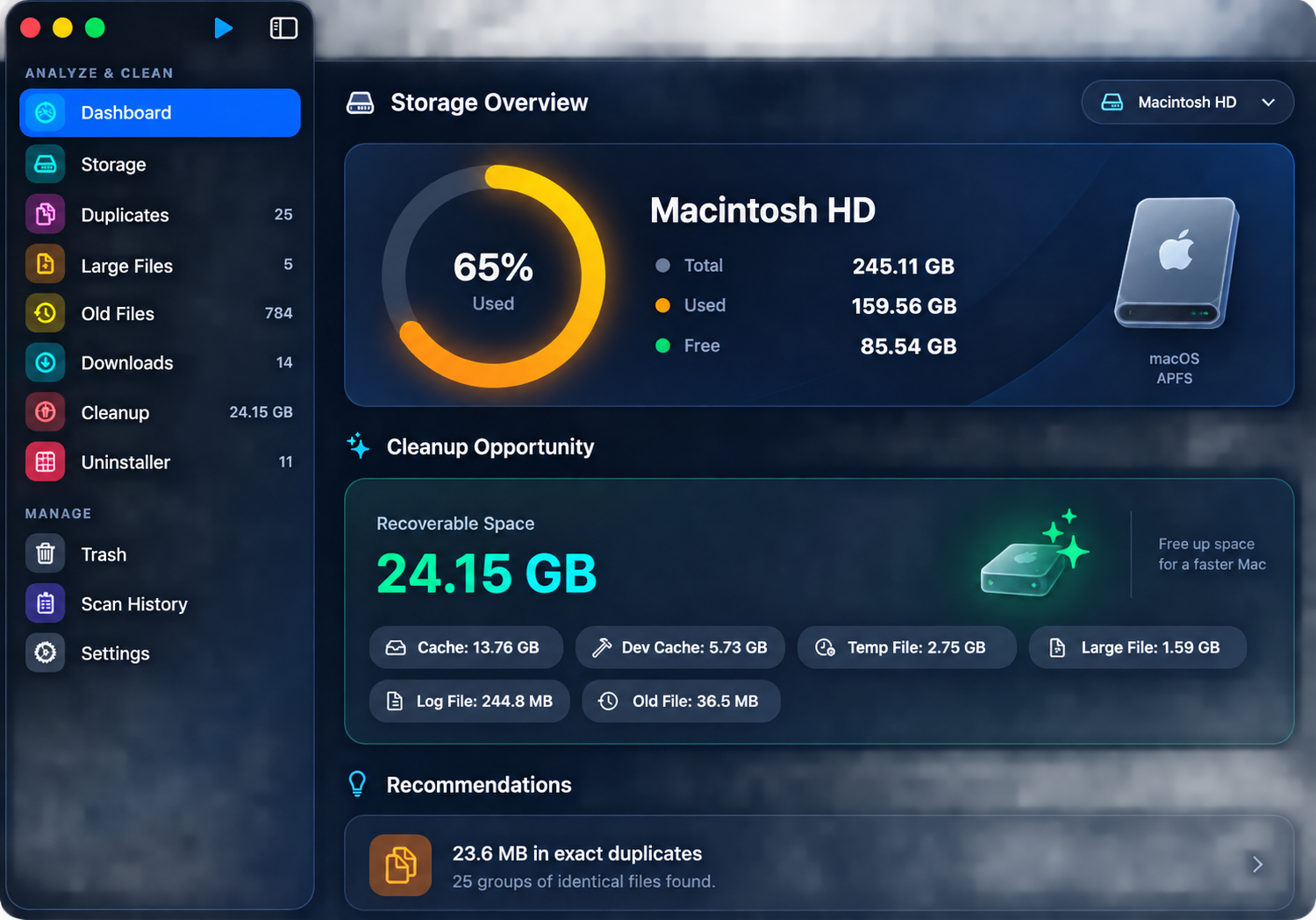
Smart Dashboard
Complete overview of your Mac storage health — disk usage ring, recoverable space counter, and personalized cleanup recommendations all in one place.
Simple. Honest. One price.
No subscriptions. No hidden fees. Own it forever.
Free
$0
Forever free, always.
- Basic junk clean (up to 2 GB)
- Duplicate file scanner
- Large file finder
- Monthly scan limit
Pro
$12.99
One-time. No subscription ever.
- Unlimited junk cleaning
- Smart duplicate detection
- Privacy cleaner
- Startup manager
- Auto-scheduled scans
- Lifetime updates
- Priority support
Common questions.
Is it safe to use?
Absolutely. MacDiskCleaner only deletes files you explicitly approve. All files are moved to Trash before permanent removal, so nothing is ever unrecoverable.
Will it work on my Mac?
Yes! MacDiskCleaner supports macOS 12 Monterey and later, on both Apple Silicon (M1, M2, M3, M4) and Intel Macs.
Is the free version really free?
Yes, the free version is completely free with no trial periods or hidden limits on core features. Upgrade to Pro for the full suite of tools.
How is this different from CleanMyMac?
MacDiskCleaner is a one-time purchase with no subscription, is significantly lighter on system resources, and focuses on doing the essentials exceptionally well.
Can I get a refund?
Of course. We offer a full 30-day no-questions-asked refund on all Pro purchases.